Two character variants: default and crested
Crimson Warden R15 - Model & Weapon
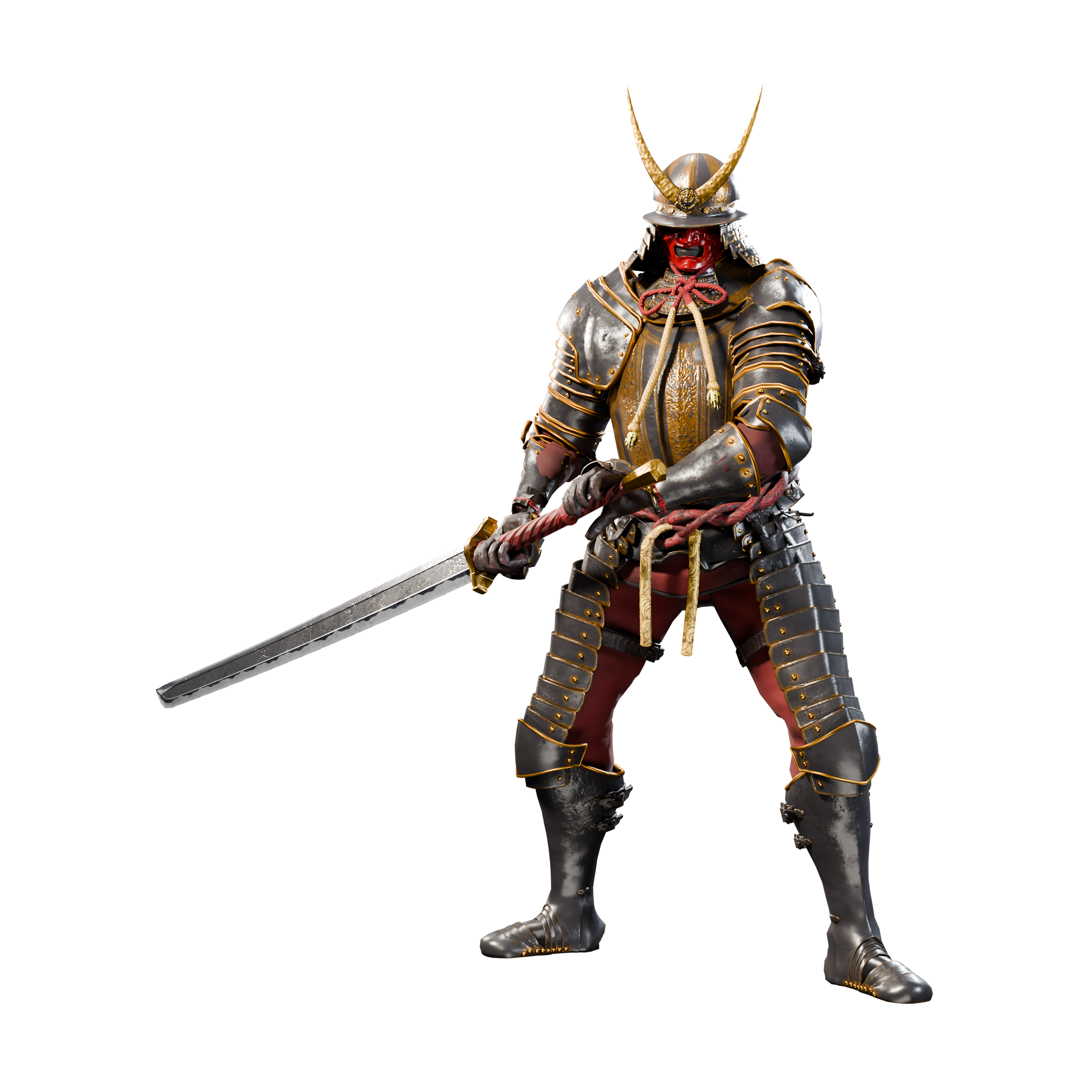
Armored R15 character with two variants, matching greatsword, and textures. Optional animations are available separately.
- Works with
- Roblox Studio import workflow
- Current version
- 1.0.0
- Last updated
- Oct 4, 2026
- Source access
- Included
01
Product overview
Create an armored R15 character with a matching greatsword.
Create an armored R15 character with a matching greatsword.
Build your next armored character around Crimson Warden. This model-and-weapon pack includes default and crested R15 character variants, a greatsword, embedded PBR materials and separate texture maps. The setup script prepares character attachments, the sword joint and hip height. Animation clips are not included in the $24.99 base pack. Add the optional 87 Animations pack for $9.99, or use your own animations. Your game supplies combat, movement, input, damage, networking, sound and effects.
Designed forIndividual Roblox developers building an armored characterDevelopers with an existing combat and movement system
02
Core capabilities
What the product gives your team
Greatsword with a dedicated attachment joint
Embedded PBR materials and separate texture maps
Roblox Studio R15 import and setup workflow
Use your own animations or choose the optional 87-animation add-on
03
Technical compatibility
Check the integration fit
EnvironmentSupport detailSource
Roblox Studio import workflowR15 target; follow the included import and setup guide · Luau publisher declared
Delivery
- Current version
- 1.0.0
- Package size
- 84.5 MB
Requirements
- Roblox Studio with 3D import support
- Your own gameplay implementation
- One Individual Commercial license per developer
04
Package manifest
Everything included
- PKG-01Default and crested R15 character GLBs
- PKG-02Greatsword GLB
- PKG-03Embedded PBR materials and separate texture maps
- PKG-04Character and sword setup script
- PKG-05Rig data and installation guide
What is not included
- Animation clips (optional 87-animation add-on sold separately)
- Complete combat or movement systems
- Damage, input, networking, sound or effects
- Prepublished Roblox animation IDs
- A team or studio license
Installation path
From package to project
- 01
Import either character GLB in Roblox Studio with R15 selected.
- 02
Import the greatsword using matching scale and orientation.
- 03
Select the character and follow Installation.md to run CrimsonWarden_Setup.lua.
- 04
Use your own animation workflow or add the separate 87 Animations pack.
05
Version history
Release 1.0.0
Current release1.0.0
- Model and weapon release. Animation clips are available as a separate optional add-on.
06
Customer reviews
Be the first to review this product
0customer reviews
Share integration quality, documentation clarity, and release-specific feedback after acquiring the product.
Review eligibilityPublisher
TLG Market
Character models, animation packs, and game-development assets published directly by TLG Market.
Location not listed